Why I Started Rethinking zsh
Recently I was debugging an Android native build issue in Codex.
The symptom was odd: on the same machine, in the same repository, the same ./gradlew clean :app:assembleDebug command would succeed when I ran it manually in Codex Desktop's interactive terminal, but fail consistently when the assistant ran it through the tool.
At first glance it looked like an ordinary build failure. I suspected Gradle, the NDK, the JDK, and the cache.
But after checking the daemon process arguments, none of those were it.
The command did not change, the entry point did, and the result changed.
That reminded me of an environment issue I had only half-understood before: what is the difference between zsh -c, zsh -lc, and zsh -ic?
I used to think of them as just a few shell startup variants.
This time, though, I realized the difference is not a syntax detail. It directly decides whether you are getting the same environment.
I First Treated It as a Build Problem
The failure eventually landed in the native build chain, and the errors looked like a broken toolchain:
fatal error: 'stdio.h' file not foundfatal error: 'stdlib.h' file not found
That kind of error is easy to misread.
Because it happened during the build, my attention naturally went to:
- Whether Gradle was broken.
- Whether the NDK version was wrong.
- Whether the JDK was incompatible.
- Whether the CMake/Ninja cache was dirty.
At the same time, one signal was much more important:
Manual terminal execution succeeded, but the tool subprocess failed
That should change the priority.
At that point, the better question was not "is the project broken?" but:
Are those two entry points actually running in the same environment?
That was the key step.
We often assume that because a command runs inside the same app, the environment should be close enough.
What I came to understand here is:
Different execution entry points in the same product can still map to different shell startup environments.
zsh -c, zsh -lc, and zsh -ic Differ in Environment, Not Syntax
Instead of guessing inside the Gradle wrapper, I first cut the problem by shell startup mode.
The result was very direct:
zsh -cfailed.zsh -lcstill failed.zsh -icsucceeded.
Once those three results were in, the problem had already been narrowed down a lot.
It told me at least three things:
- The command text itself was not the issue.
- The repository itself was not the issue.
- The issue was in the shell initialization chain.
If I reduce it to a rough troubleshooting model, these flags can be remembered like this:
zsh -c:-cmeans command, so it runs the command string and exits. That is usually a non-interactive, non-login subprocess mode.zsh -lc:-lmeans login,-cmeans command. In other words, start as a login shell, then run only one command.zsh -ic:-imeans interactive,-cmeans command. In other words, force interactive shell semantics, then run only one command.
What matters is that the startup chain behind them is different.
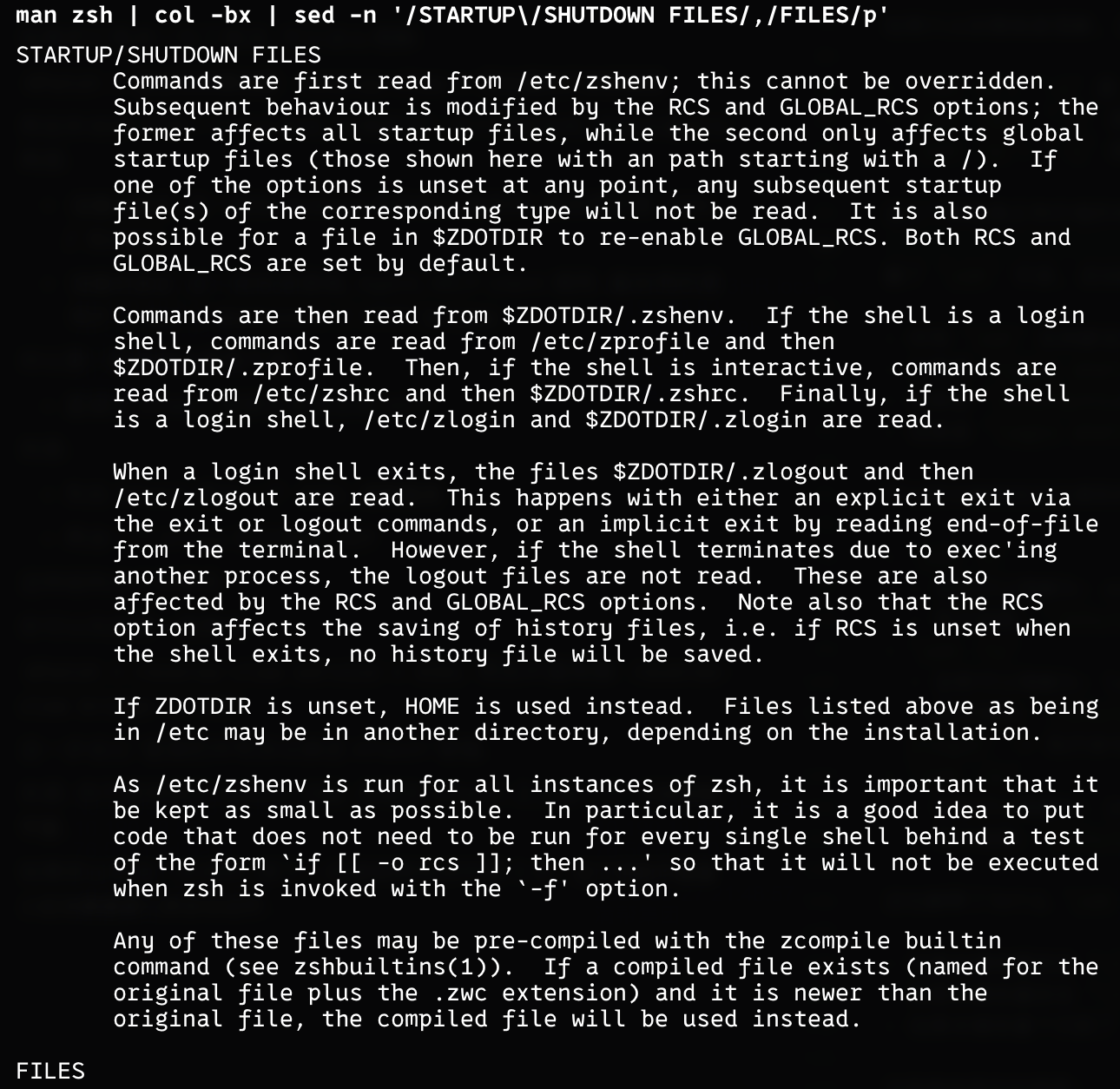
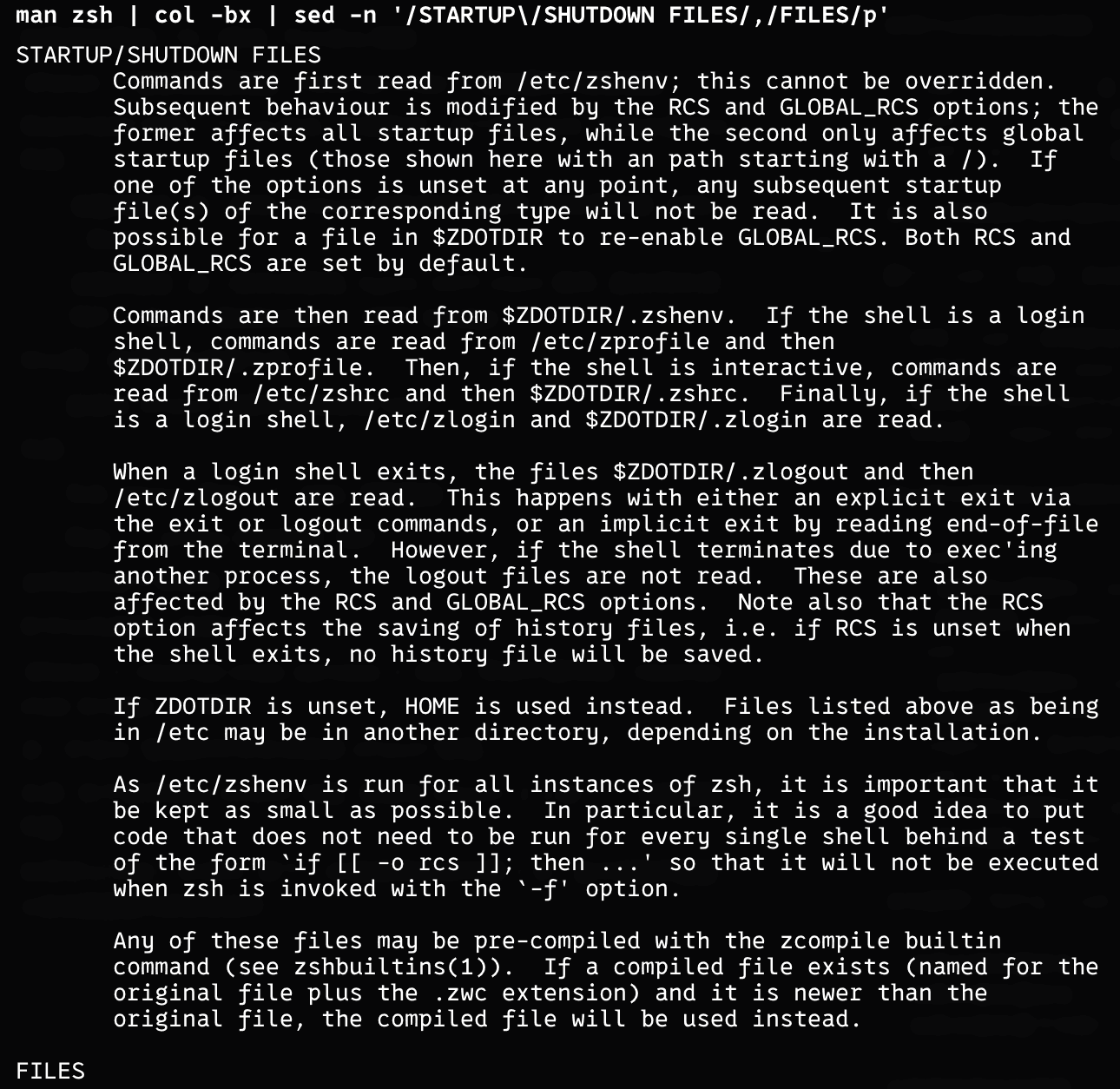
From the zsh manual, the startup order can be remembered like this:
- Every
zshinstance reads/etc/zshenvand~/.zshenv - A
login shellalso reads/etc/zprofileand~/.zprofile - An
interactive shellalso reads/etc/zshrcand~/.zshrc - A
login shellfinally reads/etc/zloginand~/.zlogin
Mapped back to the three startup modes here, that becomes roughly:
zsh -c- You can think of it as: execute command
- Typical chain:
/etc/zshenv->~/.zshenv-> execute command -> exit
zsh -lc- You can think of it as: login shell + execute command
- Typical chain:
/etc/zshenv->~/.zshenv->/etc/zprofile->~/.zprofile->/etc/zlogin->~/.zlogin-> execute command -> exit
zsh -ic- You can think of it as: interactive shell + execute command
- Typical chain:
/etc/zshenv->~/.zshenv->/etc/zshrc->~/.zshrc-> execute command -> exit
That also explains why zsh -lc and zsh -ic are both different from plain zsh -c, yet can still end up with different environments:
- If the key variables live in
~/.zprofile,-lcmay get them but-icmay not. - If the key variables live in
~/.zshrc,-icmay get them but-lcmay not. - If the key variables are moved into
~/.zshenv, then all three should see them in theory.
The easiest mistake here is to treat "it is also zsh" as "the environment should be roughly the same".
That is not true.
Once the startup flags differ, the initialization file chain can differ too, and so can the final environment variables.
How I Narrowed It Down to Shell Environment
Debugging is not "guessing with experience". It is knowing that you do not control the whole system, stepping back, and using variable control and binary search.
1. Admit It Is Not a Single-Command Problem, but an Entry-Point Problem
If the same command gives opposite results through two entry points, the first thing to do is: freeze the command text and compare the entry points.
Control variables before running experiments.
Do not keep changing the project, guessing the cache, and trying new commands at the same time, or you will just confuse yourself.
2. Check Whether the Repository Itself Is the Problem
If manual execution succeeds on the same machine and the same repository, then the repository itself is probably not the main cause.
That does not mean the code is definitely fine. It means:
It should not be the first thing you suspect.
3. Use zsh -c, zsh -lc, and zsh -ic to Slice the Environment
Recently I heard someone say that once a problem becomes concrete, it is no longer scary. It is like the boss finally showing its health bar.
Tool execution in Codex is different from manual terminal use needs to become a more concrete statement: the difference is whether the shell reaches the interactive initialization chain
-cdoes not work-lcdoes not work-icdoes work
So the issue is not "whether there is zsh", but "what semantics zsh is started with".
4. Validate the Smallest Failure Point
Do not keep guessing while wrapped inside the whole system.
Gradle wraps CMake, CMake wraps Ninja, and Ninja calls the compiler. That is too many layers, and the real signal gets buried.
It wastes time, and it wastes tokens.
Once I kept tracing, I found the failure path was actually using the NDK host clang, and then I checked its header search paths directly. The problem became much clearer.
In the failing environment, the Darwin SDK system header search path was missing.
I asked the AI, and it suggested trying to add SDKROOT.
That turned "the build system may have many complicated causes" into "the current shell did not carry in the key environment"
The Core Issue
Looking back, the most important thing here was not how to fix one Android native project, but:
In Codex, the interactive terminal and the tool subprocess are not the same shell environment.
Once that premise is true, many later symptoms stop being strange:
- Running inside Codex but behaving like two different machines.
- Both using
zsh, yet loading different variables. - Manual execution succeeds, but automation fails.
Commands are never executed outside context.
A command's real execution conditions include at least:
- the current directory
- the current process environment variables
- the shell startup semantics
- the actual toolchain path that gets resolved
If you only look at the command text, it is easy to get stuck thinking: "I ran the exact same command."
From a systems perspective, if those conditions differ, it is not the same execution at all.
How I Will Debug This Kind of Environment Issue Next Time
1. When Manual Works and Automation Fails, Do Not Rush to Change Code
Suspect the process environment first, not the repository contents.
Especially in IDEs, agents, terminal tools, and CI systems, never assume the environments are identical by default.
2. Compare Shell Semantics Before Command Text
The difference between zsh -c, zsh -lc, and zsh -ic is not a memorization question. It is a startup-chain difference.
Once you know:
-cis closer to a run-and-exit command mode-lccarries login-shell semantics-iccarries interactive-shell semantics
a lot of "same command, different result" cases suddenly become concrete.
3. Validate the Smallest Failure Point, Not the Outer System
If there is a Gradle wrapper, script, or task orchestrator around it, push inward.
Find the layer where it actually fails and inspect what it is missing.
Many environment issues become much easier once you can reduce them to the smallest possible command.